The Live Weather Channel
- 4.3
- Rating
- 50.00K
- Installs
- Free
- Price

 Analysis by App-foxy
Weather apps are easy to underestimate. I usually open one for a quick answer, but the useful test is whether it helps me make a better decision before I leave home, start a commute, or plan time outdoors. The Live Weather Channel takes a straightforward approach to that job: it is a free weather app from LONGYUER LIMITED, built around live weather information and travel-oriented use. After spending time with it, my view is that it works best as a simple daily check rather than as a complete replacement for a specialist forecasting service.
That distinction matters. The app is not trying to turn weather into a complicated hobby. Its appeal is the low commitment: open it, look at the current conditions, and use that information to decide what to wear, whether to carry an umbrella, or whether a trip needs more preparation. The store summary presents it as a way to stay updated while traveling, and that is the most convincing reason to use it. I would recommend it to someone who wants an uncomplicated weather companion, provided they do not expect a deep set of forecasting tools.
What the app does well in everyday use
The first strength is clarity. A weather app earns its place on my phone when I can understand the important information quickly, without working through a crowded screen. The Live Weather Channel is positioned as a live weather tool, so its central value is immediate awareness rather than a long learning curve. That makes it approachable for people who only check the weather a few times a day and do not want to study charts, radar layers, or technical forecast language.
You May Also Like

 Pandora - Music & Podcasts
Pandora’s Music Is Easy to Start, but Harder to Recover
Pandora’s strength is its low-effort path from a seed to a station. Its weak spot is how much confidence it asks you to place in connection, setup, and quiet recovery.

 AccuWeather: Weather Radar
AccuWeather Review: A Quick, Clear Forecast for Everyday Decisions
For everyday plans, the best forecast is the one you can understand quickly. AccuWeather makes rain timing, radar, and local conditions easy to act on, with a few trade-offs.

 Hill Climb Racing
Why Hill Climb Racing Still Turns Crashes Into One More Run
A tiny car, a bumpy hill and one more upgrade: Hill Climb Racing keeps resurfacing because its simple chaos makes every near-miss feel personal.

 AliExpress - Shopping App
AliExpress Makes Global Shopping Feel Personal, but Shoppers Bear the Risk
AliExpress turns a global marketplace into a pocket-sized discovery engine. Its reach is useful, its shopping loop compelling, and its trade-offs easy to miss.

 Lords Mobile: Kingdom Wars
Lords Mobile Is a Kingdom-Building Routine, Not a Quick Match
A case-by-case verdict on the building, battles, device demands, and social commitments that make Lords Mobile rewarding for some players and exhausting for others.

 PDF Scanner app - TapScanner
TapScanner Makes Paperwork Easier to Capture, Check, and Share
TapScanner makes scanning with a phone feel less like a rescue operation and more like a dependable step in getting work done. Its capture tools are useful, though not flawless.
More From Our News Desk
View All News


I found the travel angle especially practical. Before leaving for a day trip, I would use the app as a short planning checkpoint: check the current conditions, think about the route, and then decide whether light clothing, an extra layer, or rain protection makes sense. It is not a substitute for common sense, but it can prevent the small mistakes that make travel uncomfortable. A forecast viewed at breakfast may not answer every question about the afternoon, so checking again shortly before leaving is a sensible habit.
The best feature here is the speed of the decision it supports. Instead of treating weather as a separate planning task, I can fold a quick check into an existing routine. That is valuable for a commuter, a parent getting children ready, or anyone moving between several places in one day. The app’s simple purpose also makes it less intimidating than weather products designed for outdoor professionals.
Its broad audience is reflected in the age classification: it is suitable for Everyone. That does not mean every person will prefer it, but it does suggest an uncomplicated starting point for household use. A family member who is not interested in detailed meteorology can still understand the basic reason for opening it: find out what the weather is doing and adjust plans accordingly.
The app is also free, which removes the biggest barrier to trying it. I can install it without treating the decision like a subscription commitment. That is important in a category where many alternatives compete for attention through premium forecasts, paid extras, or increasingly elaborate interfaces. For a casual user, a free option can be enough if it answers the basic question reliably and comfortably.
A useful routine for commuting and short trips
One practical way to use the app is to give it two brief checks instead of relying on one glance. The first can happen while planning the day, when I decide what to carry. The second can happen before leaving, when the weather may have changed or my plans may have become more specific. This workflow is more useful than opening a weather app only after I am already outside and reacting to a problem.
For example, imagine a normal workday with a walk to public transport, an outdoor lunch, and a return journey in the evening. I would not use the app merely to choose between a jacket and a shirt. I would use the current information to decide whether carrying a compact umbrella is worth the space, whether shoes should be chosen for comfort in wet conditions, and whether an outdoor break needs a backup plan. Those are small decisions, but they are exactly where a quick weather app proves its value.
Travelers can apply the same approach before moving between locations. Check the weather where the day begins, then check again before the next leg rather than assuming the first observation still applies. The app is most helpful when treated as a repeated decision aid, not as a one-time guarantee. That is a subtle but important difference: live information can improve preparation, but it cannot remove uncertainty from changing conditions.
Where it sits beside familiar weather alternatives
Compared with a phone’s built-in weather panel, this app may appeal to users who want a dedicated place for weather rather than a small widget or a glanceable system card. The advantage is focus. I open it with one purpose, and the travel-oriented positioning gives the experience a practical context. The trade-off is that the built-in option may feel more convenient for someone who already has weather information integrated into the home screen or voice assistant.
Compared with a full forecasting service, The Live Weather Channel appears better suited to people who value simplicity over depth. Specialist alternatives are often preferable when I need detailed hourly planning, advanced visual maps, severe-weather tools, or information tailored to a particular outdoor activity. I would choose those products for hiking, boating, photography, or any situation where fine-grained forecast detail affects safety or a significant investment of time.
That does not make this app weak; it defines its useful boundary. A lightweight weather app can be better than a feature-heavy one when the question is simply, “What should I expect before I go out?” The moment the question becomes, “How will conditions develop across several hours, and what precisely should I do about them?” a more specialized alternative may be the wiser choice.
The app’s public response so far is modest but encouraging. It has an average rating of 4.3 from 133 ratings, with 10 written reviews and over 50 thousand installs. I read those figures as signs of early interest rather than proof that it will satisfy every type of weather user. A rating can indicate that the basic experience works for many people, but it cannot replace my own judgment about whether the app offers the depth I need.
The important limitation: simplicity can become a ceiling
The same minimal approach that makes the app approachable can also leave experienced users wanting more. If I need to compare several times of day, inspect changing conditions visually, or plan around a narrow weather window, a basic live-weather experience may not provide enough context. The issue is not that a simple app is wrong; it is that a quick current view and a dependable planning tool are different products.
I would be cautious about using it as my only source for decisions where weather has serious consequences. A casual outing, a commute, or a shopping trip is one thing. A long remote excursion, a road journey through difficult conditions, or an event that cannot be postponed deserves a second source and a more detailed forecast. No single glance should be treated as a promise, especially when conditions can change between checking the app and reaching the destination.
There is also a practical trade-off for users who already depend on system-level convenience. If I prefer seeing weather automatically on a home screen, receiving familiar alerts, or asking a voice assistant for a forecast without opening an app, a dedicated weather application may feel like an extra step. The Live Weather Channel is more compelling for someone willing to open it intentionally than for someone who wants weather to remain almost invisible until the phone surfaces it.
Another limitation is that a new weather app has to earn trust through repeated use. The current version is 1.0, so I would approach it as an early offering rather than assume it already has the maturity of long-established forecasting platforms. That does not prevent it from being useful today, but it does make my recommendation more measured. I would test it during ordinary routines first, compare its information with a familiar source, and only then decide whether it deserves a permanent place in my daily setup.
Who should install it, and who should look elsewhere?
I think the strongest audience is the casual weather checker. If you want a free app for quick awareness before commuting, shopping, traveling, or arranging a normal outdoor activity, this is a reasonable candidate. It is also a good fit for people who find large weather services distracting and prefer a focused tool with a clear purpose.
It may suit travelers especially well when the need is basic preparation rather than professional planning. I would use it before leaving a hotel, before walking around a new city, or before deciding whether to change a day’s itinerary. The key is to pair the app with flexible plans. If a forecast looks uncomfortable, the most useful response may be shifting the timing of an activity, choosing an indoor alternative, or carrying one extra item—not assuming the app has made the entire day predictable.
Families may appreciate the straightforward concept too. A child or older relative who does not enjoy complicated interfaces can use the app as part of a simple routine: check the weather, choose suitable clothing, and prepare for the journey. Because it is rated for Everyone, it is positioned for broad everyday use rather than a narrow technical audience.
I would not make it my first recommendation for outdoor specialists. Hikers planning a demanding route, cyclists tracking a long ride, event organizers protecting a fixed schedule, and professionals whose work depends on precise conditions should consider a more detailed weather service. They need richer context and stronger planning support than a quick live-weather check is designed to provide.
I would also suggest skipping it if you dislike opening separate apps for information your phone already displays conveniently. In that case, the built-in weather experience may be enough. The Live Weather Channel makes more sense when its dedicated presentation feels easier for you to read or when you specifically want a standalone travel-oriented weather check.
Small habits that make the app more useful
My first tip is to check the app at the point of decision, not only at the start of the day. Morning information is useful for broad preparation, but the forecast matters most when I am about to leave or change locations. This is particularly important on travel days, when the weather at the departure point may not represent what I will encounter later.
My second tip is to translate the weather into an action before closing the app. Instead of merely noticing the conditions, I ask what changes: clothing, footwear, transport, timing, or destination. This turns the app from passive information into a practical planning tool. It also helps reveal whether the app is giving me enough detail for my needs. If I repeatedly need answers it does not provide, that is a clear signal to use a more advanced alternative.
My third tip is to keep a second source in mind for important plans. I do not mean checking several apps obsessively for a routine commute. I mean recognizing when the cost of being wrong is high. For an ordinary errand, this app may be all I need. For a remote trip or an event with no easy backup, I would compare the outlook elsewhere before committing.
A fourth useful habit is to judge the app over several normal days rather than after one impressive or disappointing check. Weather information is inherently variable, and a single experience can distort expectations. I would pay attention to whether the app remains easy to read, whether it fits naturally into my routine, and whether its information helps me make decisions without creating extra work.
My final view after using it
The Live Weather Channel succeeds when I treat it as a focused, free weather companion for everyday movement. Its strongest quality is not a long list of advanced tools; it is the simple connection between checking conditions and deciding how to handle the next part of the day. The travel emphasis gives that simplicity a clear purpose, and the Everyone rating makes it approachable for a wide range of users.
At the same time, I would not confuse convenience with completeness. People who need detailed forecasting, specialist outdoor planning, or deeply integrated phone alerts may be happier with a mature alternative. The current 1.0 release also encourages a sensible trial period: use it for ordinary routines, compare it with a trusted source when plans matter, and see whether its level of information matches your expectations.
My recommendation is therefore specific rather than universal. Choose this app if you want a straightforward weather check that supports daily travel decisions without charging you. Skip it in favor of a more advanced service if weather accuracy and detail are central to a high-stakes activity. For casual users, commuters, families, and travelers who value an uncluttered starting point, The Live Weather Channel is worth trying as a practical addition to the phone.
FAQs for The Live Weather Channel
01What features does The Live Weather Channel app offer?
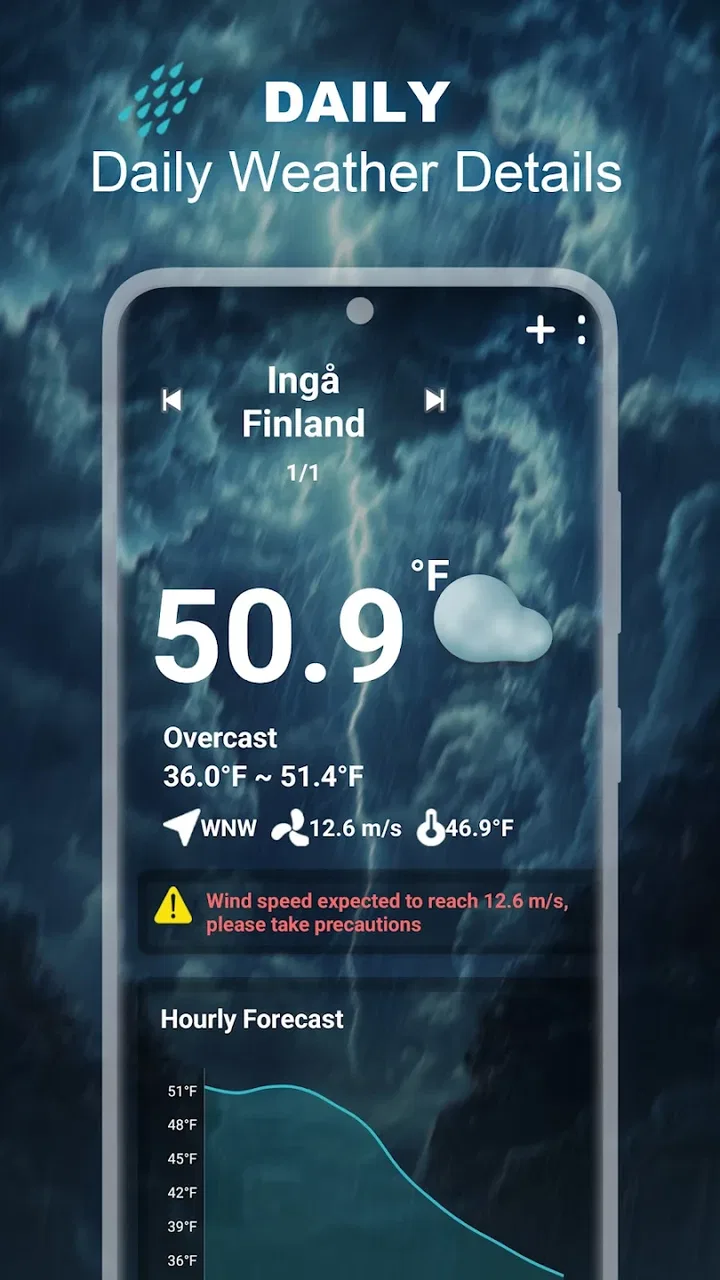
The Live Weather Channel app provides real-time weather updates, hourly forecasts, and weekly outlooks. It offers radar maps, severe weather alerts, and customizable notifications. Users can also access detailed meteorological data, including temperature, humidity, wind speed, and UV index, making it a comprehensive tool for planning daily activities.
02Is The Live Weather Channel app free to use?
The app is available for free download, offering basic features without charge. However, it also offers a premium subscription that unlocks additional features such as ad-free experience, advanced radar options, and extended forecasts. Users can choose the version that best suits their needs and budget.
03How accurate are the weather forecasts provided by the app?
The Live Weather Channel app is known for its high accuracy due to its use of reliable data sources and advanced weather modeling technologies. It updates frequently to ensure users receive the most current information. However, as with all weather forecasts, occasional discrepancies may occur due to rapidly changing weather conditions.
04Can I customize notifications in The Live Weather Channel app?
Yes, the app allows users to customize notifications based on their preferences. You can set alerts for severe weather conditions, daily forecasts, and specific events like rain or snow. This feature ensures that you stay informed about the weather changes that matter most to you.
05Does The Live Weather Channel app require an internet connection?
The app requires an internet connection to provide real-time updates and access live radar maps. However, it can cache certain data, allowing you to view previously downloaded information offline. For the most accurate and current forecasts, maintaining an internet connection is recommended.
Pros
- Accurate and real-time weather updates.
- User-friendly interface with intuitive design.
- Wide range of weather data and forecasts.
- Customizable alerts for severe weather.
- Detailed radar maps and satellite images.
Cons
- Contains ads in the free version.
- Some features require a premium subscription.
- Occasional bugs in radar display.
- May drain battery with continuous use.
- Limited offline capabilities.

The Live Weather Channel
Gallery